
How it works: The till
Open the appWhat it is for
Sell fast: barcode, quantities, discount, payment, receipt.
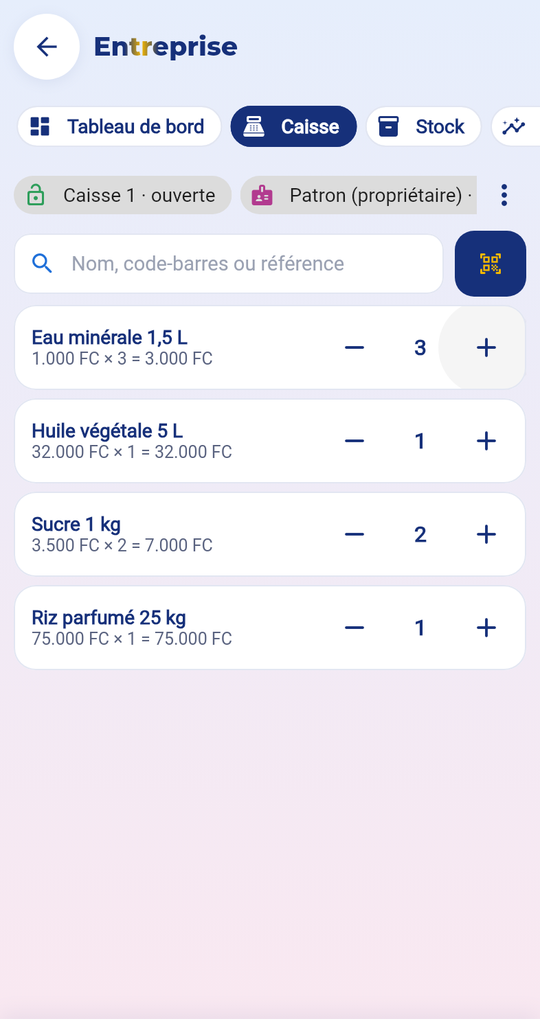
The steps
- Open the till with the money in the drawer at the start.
- Scan the barcode or search for the product; set the quantity with − and +.
- Tap “Checkout”: cash (2 currencies possible), Mobile Money, card or credit.
- The change is shown; the receipt is ready: print (Bluetooth), PDF or WhatsApp.
- In the evening, “Close the till”: count the money and type the total.
Price
Included in your Business plan.
What is kept
Without internet, the sale is kept on the device and sent when the network returns, with no duplicates. Each receipt has a number that follows on and a verification QR code.
Common mistakes
- Discount refused beyond your role’s limit.
- Credit refused if the customer has no limit set by the manager.
- Return or cancellation: the manager’s PIN and a reason are needed.